- Location:79 13th Ave NE Suite 207 Minneapolis, MN 55413

HIPAA Compliance After Windows 10: Planning Your Secure Upgrade to Windows 11
Published: Monday July 28th, 2025
Read time: ~ 4 minutes

Introduction: Time to Move On from Windows 10
If your organization is still running Windows 10, you’re officially on the clock. You can learn more on our Blog post here: https://amoryit.com/windows-10-end-of-life-and-hipaa-what-healthcare-providers-must-know-before-october-2025/
Microsoft ends support in October 2025, which means no more security updates, increasing your risk of HIPAA violations. But with the right plan, transitioning to Windows 11 can be smooth, secure, and fully compliant.
Let’s break down how to upgrade safely—and smartly.
Step 1: Assess Your Current Risk
Before making any changes, evaluate where you stand. Start with:
- Device Inventory: Which workstations still run Windows 10?
- Compatibility Check: Will your EHR, billing, or practice management software run on Windows 11?
- Review Agreements: Some cyber insurance policies and Business Associate Agreements (BAAs) require a supported operating system.
Tip: Not sure if your devices meet the requirements? Use Microsoft’s PC Health Check tool to verify compatibility.
Step 2: Budget for the Transition
HIPAA compliance doesn’t mean high cost. A good budget plan includes:
- Hardware Requirements: Windows 11 needs TPM 2.0, Secure Boot, and more. Some older machines won’t qualify.
- Licensing Decisions: Healthcare often benefits from Windows 11 Pro or Enterprise. Choose based on your security and deployment needs.
- Phased Rollouts: Start with high-risk areas like front desk and clinical systems.
Consider applying for technology upgrade grants or federal incentives (like HITECH/HIPAA-related programs) if eligible.
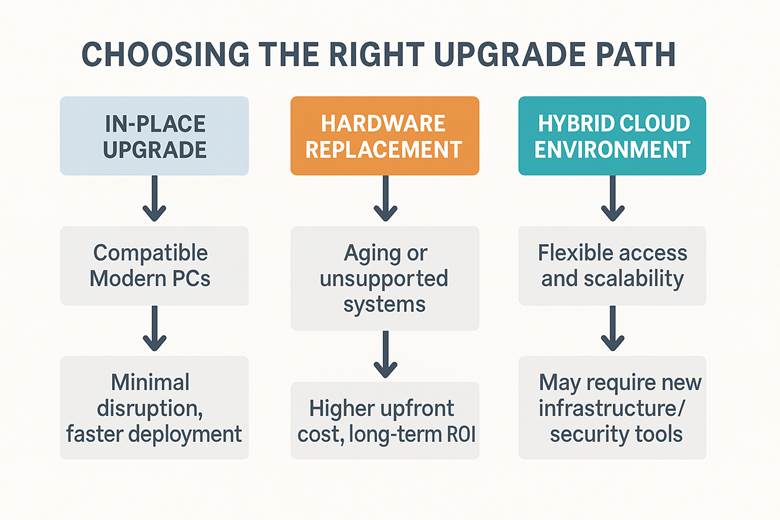
Step 3: Choose the Right Upgrade Path
You’ve got options. Each depends on your hardware and operational needs:
| Option | Best For | Considerations |
| In-Place Upgrade | Compatible modern PCs | Minimal disruption, faster deployment |
| Hardware Replacement | Aging or unsupported systems | Higher upfront cost, long-term ROI |
| Hybrid Cloud Environment | Flexible access and scalability | May require new infrastructure/security tools |
Step 4: Minimize Downtime
Operational disruption is a big concern in healthcare. Here’s how to avoid it:
- Schedule Upgrades Smartly: Align with staff downtime or slower appointment windows.
- Staff Training: Even minor interface changes can confuse teams. Prep them early.
- Data Backups: Always create full backups and test recovery procedures before making system changes.
Want to avoid costly delays? A pre-upgrade checklist can prevent HIPAA headaches.
Step 5: Work with a HIPAA-Savvy IT Partner
Generic IT providers may not understand the nuances of HIPAA compliance or the unique demands of healthcare systems.
At Amory IT, we specialize in:
- Behavioral health and medical IT environments
- Secure Windows 11 deployments with compliance built-in
- Ongoing support, monitoring, and documentation for audits
How Amory IT Helps You Upgrade with Confidence
We handle every step—from planning to post-deployment support—so you can focus on care, not configurations:
- Full Windows 11 upgrade strategy
- Security hardening and endpoint management
- HIPAA compliance documentation and training for staff
Call to Action: Don’t Wait Until It’s Too Late
The HIPAA clock is ticking. Every day you delay could put your patients—and your practice—at risk.
Book a free HIPAA tech consultation with Amory IT today. Let’s build a secure and compliant upgrade plan—together.
Additional Resources